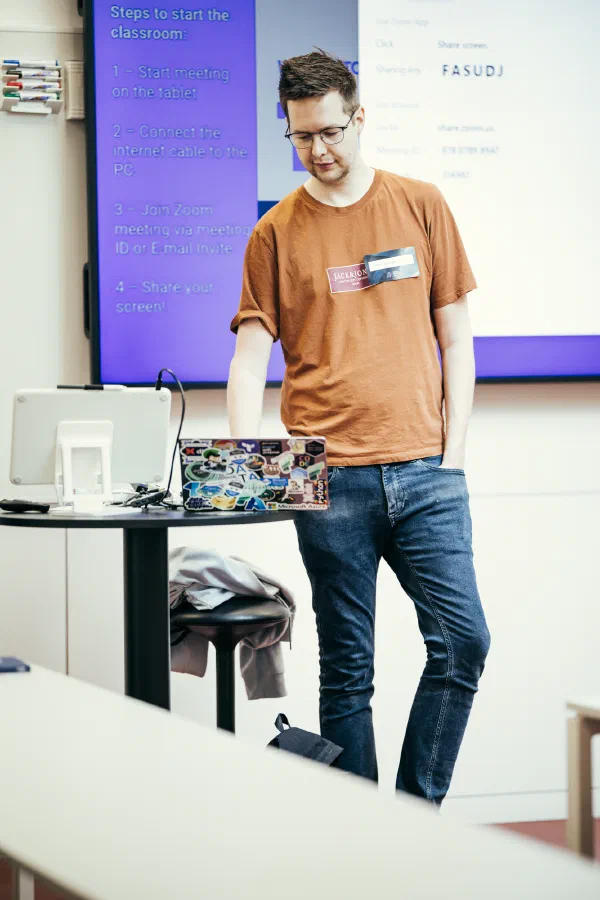
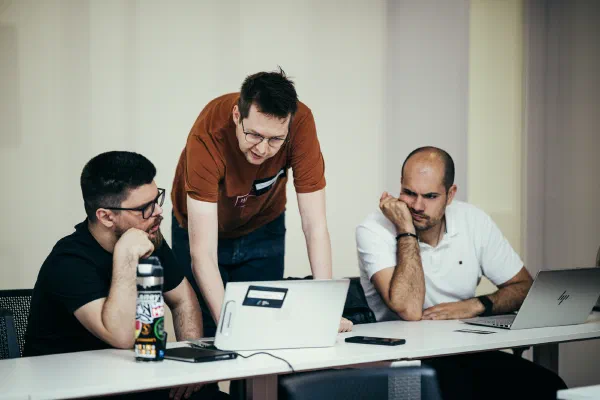
New to dbt? This hands-on tutorial is your launchpad. Starting from scratch, you’ll set up your first dbt project in dbt Platform’s Studio IDE against Microsoft Fabric, with no local setup required. By the end of the session, you’ll understand what dbt is, why it has become the backbone of modern analytics engineering, and how it fits into the broader data transformation landscape.
You’ll work through the core building blocks of dbt: models, sources, seeds, and Jinja templating, before moving into macros, documentation, and testing. Every concept is reinforced with practical exercises, so you leave with working code. Whether you’re a data analyst or an engineer stepping into the analytics space, this tutorial gives you the foundation to hit the ground running on your first real dbt project.
What you’ll learn
What is dbt and all of its variants
Core dbt concepts and architecture
Building models and defining sources
Using Jinja for dynamic SQL
Documenting projects and adding data tests
Expected level
Beginner / Introductory
Who is this tutorial for?
Beginning data practitioners new to dbt and analytics engineering.
Requirements for attendees
Laptop
Modern browser
SQL knowledge
Schedule
09h30 — 13h00
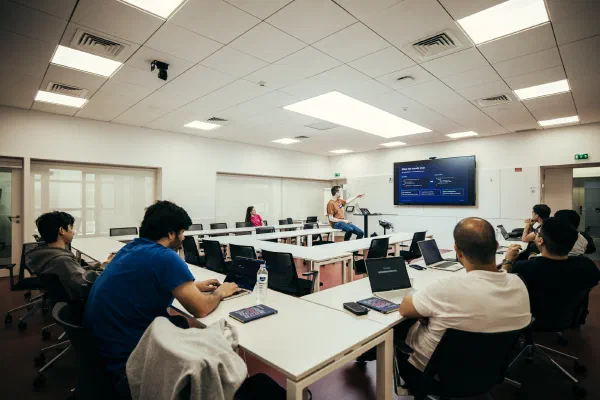
From the event
12 photos
dbt workshop From fundamentals to production-ready dbt Platform + Microsoft Fabric Data Makers Fest 2026 · Porto
Sam Debruyn Freelance Data Platform Architect · Microsoft Data Platform MVP · dbt Champion · Organizer of the Belgium dbt Meetup · Specialized in Microsoft Fabric, Azure, and dbt sam@debruyn.dev · debruyn.dev What this workshop is optimized for ▸ Your first real dbt project ▸ Production-ready patterns & best practices ▸ Hands-on learning over slideware ▸ Browser-only setup — nothing to install Data Makers Fest · Porto · 2026 Sam Debruyn
dbt lets you transform data using SQL with software engineering best practices Version control · Testing · Documentation · CI/CD Data Makers Fest · Porto · 2026 Sam Debruyn
The modern data stack dbt = the T in ELT Data Sources APIs, databases, SaaS tools, files EL Tool Fivetran, Airbyte, ADF, etc. Warehouse Fabric, Snowflake, BigQuery, etc. dbt Transform BI / Analytics Power BI, Looker, Tableau, etc. dbt transforms data already loaded in your warehouse — it doesn't extract or load data Data Makers Fest · Porto · 2026 Sam Debruyn
What dbt actually does You write SELECT — dbt handles the rest You write: -- models/staging/stg_customers.sql select id as customer_id, name as customer_name from {{ source('ecom', 'raw_customers') }} dbt generates: CREATE VIEW dbt.stg_customers AS ( SELECT id as customer_id, name as customer_name FROM raw.customers ); DDL management CREATE TABLE / VIEW handled automatically Dependency ordering Models run in the right sequence Schema management Target schema configured, not hardcoded Data Makers Fest · Porto · 2026 Sam Debruyn
dbt adapters — connect to any warehouse 60+ adapters — one framework for any data platform Snowflake BigQuery Databricks Microsoft Fabric PostgreSQL Amazon Redshift Apache Spark Trino DuckDB Starburst ClickHouse SQL Server Teradata Oracle And 50+ more... The adapter translates dbt's standard interface to your warehouse's SQL dialect. Your dbt project code stays the same — only the adapter changes. Today: dbt-fabric Data Makers Fest · Porto · 2026 Sam Debruyn
dbt Core · Fusion · Platform Three flavors, same project code dbt Core ▸ Open-source CLI (Python) ▸ pip install dbt-core ▸ profiles.yml config ▸ You manage scheduling ▸ ODBC connections ▸ Free forever dbt Fusion ▸ New Rust execution engine ▸ CLI or inside Platform ▸ SQL-aware (not just Jinja) ▸ 30× faster, inline errors ▸ ADBC connections (Arrow) ▸ Free CLI, or via Platform dbt Platform ▸ Browser-based Studio IDE ▸ Built-in scheduler & CI/CD ▸ Managed connections (UI) ▸ Git integration built in ▸ Hosted docs site ▸ Paid (free tier available) All three use the SAME dbt project code — you can switch at any time Data Makers Fest · Porto · 2026 Sam Debruyn
dbt Fusion engine The next generation — not a separate product 30× faster Rust-powered execution engine SQL-aware Understands your code, not just renders it Inline errors Catch mistakes before you run Column lineage Track data flow at column level Fusion runs inside dbt Platform or as a CLI — it replaces the execution engine Currently supports: Snowflake · BigQuery · Databricks · Redshift Coming to more platforms (including Fabric) soon Data Makers Fest · Porto · 2026 Sam Debruyn
From ODBC to ADBC Why Fusion changes how dbt talks to your warehouse ODBC (dbt Core) ▸ Row-oriented data transfer ▸ Serialize rows → send → deserialize ▸ 40+ year old standard (1990s) ADBC (dbt Fusion) ▸ Column-oriented (Apache Arrow) ▸ Zero-copy where possible ▸ Built for modern analytics What this means ▸ Adapters need to be rewritten (Rust + ADBC) — not all platforms supported yet ▸ Warehouses need native ADBC support, or use an ODBC-to-ADBC bridge Data Makers Fest · Porto · 2026 Sam Debruyn
Our workshop setup Everything runs in your browser IDE dbt Platform Studio (browser-based) Warehouse Microsoft Fabric Data Warehouse Adapter dbt-fabric Project Jaffle Shop — an e-commerce coffee shop No installation needed — just a browser and an email Data Makers Fest · Porto · 2026 Sam Debruyn
Meet the Jaffle Shop Our demo project — yes, it's named after a sandwich What's a jaffle? An Australian toasted sandwich — sealed edges, hot filling, cooked in a hinged iron. Curried sausage, cheese-and-ham, beans — anything goes. Why Jaffle Shop? ▸ Standard dbt tutorial project ▸ Fictional e-commerce coffee shop ▸ Customers · orders · items · products ▸ Small enough to grasp, real enough to be useful Curried sausage jaffle Data Makers Fest · Porto · 2026 Sam Debruyn
Fun fact I made the pilgrimage True story Yes — that's me at a real Jaffle Shop. Went to Australia, hunted one down, and confirmed: the sandwich is as serious as the data model. 🥪 Now — back to dbt. Data Makers Fest · Porto · 2026 Sam Debruyn
The dbt development loop The workflow you'll follow today 1 Branch 2 Write SQL 3 Preview / Compile 4 Run 5 Test 6 Commit 7 Deploy ↻ Repeat for every feature or change Data Makers Fest · Porto · 2026 Sam Debruyn
Your first dbt project Data Makers Fest · Porto · 2026 Sam Debruyn
Project structure Jaffle Shop — the standard dbt tutorial project jaffle-shop/ ├── dbt_project.yml # Project config ├── models/ │ ├── staging/ # Clean & rename raw data │ │ ├── __sources.yml # Source declarations │ │ ├── stg_customers.sql │ │ ├── stg_orders.sql │ │ └── stg_order_items.sql │ └── marts/ # Business logic & aggregations │ ├── customers.sql │ └── orders.sql ├── seeds/ # CSV lookup data │ └── store_managers.csv ├── macros/ # Reusable SQL functions │ └── cents_to_dollars.sql ├── tests/ # Custom SQL tests │ └── customers_buy_at_least_1_item.sql └── snapshots/ # Track data changes over time Data Makers Fest · Porto · 2026 Sam Debruyn
dbt_project.yml The main configuration file name: 'jaffle_shop' version: '1.0.0' config-version: 2 profile: 'default' models: jaffle_shop: staging: +materialized: view marts: +materialized: table name Unique project identifier profile Links to connection config (in profiles.yml or Platform UI) models Set materialization per folder: staging → views, marts → tables Data Makers Fest · Porto · 2026 Sam Debruyn
Profiles & connections How dbt connects to your warehouse # profiles.yml default: # profile name target: fabric # active target outputs: fabric: # target name type: fabric # adapter type driver: "ODBC Driver 18 for SQL Server" workspace: fabric-conf database: dwh schema: dbt Profile Named connection config. Referenced by dbt_project.yml Target Specific environment (dev, prod, test) type: Which adapter to use (fabric, snowflake, etc.) In dbt Platform, this is configured in the UI — you don't edit the file directly Data Makers Fest · Porto · 2026 Sam Debruyn
Exercise 1 Set up your dbt environment 1 Create a free dbt Platform developer account 2 Create a project & connect to Microsoft Fabric 3 Set up a managed Git repository 4 Initialize your dbt project in the Studio IDE 5 Verify with dbt debug and dbt run Data Makers Fest · Porto · 2026 Sam Debruyn
Create your dbt Platform account Exercise 1a 1 Go to getdbt.com/signup in your browser 2 Sign up with your email and create a password 3 Choose a name for your account (any name is fine) 4 You'll land on the dbt Platform dashboard 💡 Tips Use your personal email if your work email blocks sign-ups The free Developer plan is all we need — no credit card required Check spam/junk if you don't see the verification email Raise your hand if you get stuck — I'll come help! Data Makers Fest · Porto · 2026 Sam Debruyn
Create a project & connect to Fabric Exercise 1b 1 Account name (bottom-left) → Account Settings → + New Project 2 Name the project jaffle_shop and click Continue 3 Select Fabric as the data warehouse 4 Fill in connection details → Test Connection → Next 🔌 Connection details Server ▸ will be shown on screen Port ▸ will be shown on screen Database ▸ will be shown on screen Authentication ▸ will be shown on screen ⚠ I'll display these live — don't guess! Data Makers Fest · Porto · 2026 Sam Debruyn
Set up Git & initialize Exercise 1c 1 Under repository, choose Managed 2 Name it jaffle_shop and click Create 3 Click Continue once the repo is ready 4 Click "Start developing in the Studio IDE" ⏳ Wait for the IDE The IDE may take a minute to load. This is normal — be patient! You'll see a file tree on the left once it's ready. 🚀 Initialize the project Click "Initialize dbt project" above the file tree. This creates the starter files. Data Makers Fest · Porto · 2026 Sam Debruyn
Explore the IDE & verify Exercise 1d 🖥 Studio IDE layout ◂ File tree (left) ◆ Code editor (center) ▾ Terminal (bottom) 1 Open the terminal at the bottom of the IDE 2 Run the commands shown on the right → $ dbt debug All checks passed! ✓ $ dbt run Running 2 models... OK stg_customers OK stg_orders 🎉 You're ready! Both commands should succeed. Data Makers Fest · Porto · 2026 Sam Debruyn
Models — the heart of dbt Data Makers Fest · Porto · 2026 Sam Debruyn
What are models? Each model is a .sql file containing a single SELECT statement. dbt handles the DDL: CREATE TABLE or CREATE VIEW. You write the transformation logic. dbt manages everything else. stg_customers.sql with source as ( select * from {{ source('ecom', 'raw_customers') }} ), final as ( select id as customer_id, name as customer_name from source ) select * from final One model = one .sql file = one SELECT = one table or view Data Makers Fest · Porto · 2026 Sam Debruyn
What dbt does with your model From Jinja template → compiled SQL → executed in warehouse Your model (Jinja + SQL): -- stg_customers.sql select id as customer_id, name as customer_name from {{ source('ecom', 'raw_customers') }} Compiled + executed: CREATE VIEW dbt.stg_customers AS ( SELECT id AS customer_id, name AS customer_name FROM raw.customers ); {{ source('ecom', 'raw_customers') }} resolves to raw.customers dbt wraps your SELECT in CREATE VIEW (or CREATE TABLE) and runs it Data Makers Fest · Porto · 2026 Sam Debruyn
Project layering: staging → marts Separation of concerns for maintainable data Sources (raw data) raw_customers raw_orders raw_items raw_products raw_supplies Staging (clean & rename) ✓ Rename columns ✓ Cast data types ✓ Basic transforms ✗ No joins ✗ No aggregations Marts (business logic) ✓ Join staging models ✓ Business calculations ✓ Aggregations ✓ Final tables for BI Why? Reusability, testability, and separation of concerns — dbt best practice Data Makers Fest · Porto · 2026 Sam Debruyn
Staging models in detail stg_orders.sql from the Jaffle Shop with source as ( select * from {{ source('ecom', 'raw_orders') }} ), final as ( select id as order_id, store_id as location_id, customer as customer_id, {{ cents_to_dollars('subtotal') }} as subtotal, {{ cents_to_dollars('tax_paid') }} as tax_paid, {{ cents_to_dollars('order_total') }} as order_total, {{ dbt.date_trunc('day', 'ordered_at') }} as ordered_at from source ) select * from final The CTE pattern: ① source Read from raw table via source() ② final Rename, cast, basic transforms ③ select * Always end with select * from final Macros like cents_to_dollars() and dbt.date_trunc() keep the SQL clean and DRY Data Makers Fest · Porto · 2026 Sam Debruyn
Staging conventions Four rules for consistent staging models 1:1 with source One staging model per source table. stg_customers ← raw_customers CTE pattern source → final → select * Always end with select * from final. Simple transforms only Rename, cast, basic math. No joins, no aggregations. Materialized as views Lightweight, always current. Set in dbt_project.yml per folder. Naming: stg_[source]__[entity].sql → stg_ecom__customers.sql Data Makers Fest · Porto · 2026 Sam Debruyn
Mart models: the business layer Where business logic lives -- models/marts/customers.sql with customers as ( select * from {{ ref('stg_customers') }} ), orders as ( select * from {{ ref('stg_orders') }} ), final as ( select c.customer_id, c.customer_name, count(o.order_id) as count_orders, sum(o.order_total) as lifetime_spend from customers c left join orders o using (customer_id) group by c.customer_id, c.customer_name ) select * from final Mart characteristics: ✓ Joins multiple staging models ✓ Business logic & calculations ✓ Aggregations ✓ Materialized as tables ✓ Used by ref() in BI tools Uses ref() to reference staging models — creating dependencies in the DAG Data Makers Fest · Porto · 2026 Sam Debruyn
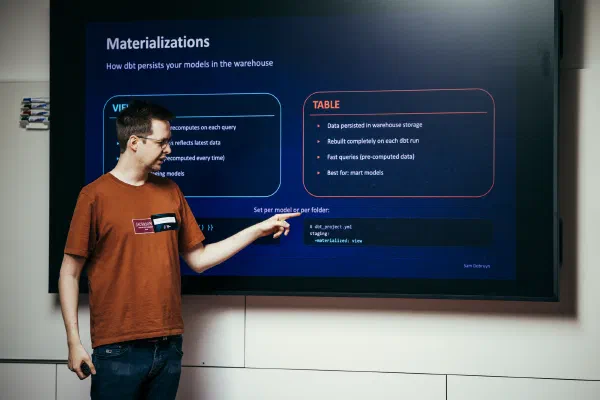
Materializations How dbt persists your models in the warehouse VIEW ▸ No data stored — recomputes on each query ▸ Lightweight, always reflects latest data ▸ Slower queries (recomputed every time) ▸ Best for: staging models TABLE ▸ Data persisted in warehouse storage ▸ Rebuilt completely on each dbt run ▸ Fast queries (pre-computed data) ▸ Best for: mart models Set per model or per folder: {{ config(materialized='table') }} # dbt_project.yml staging: +materialized: view Data Makers Fest · Porto · 2026 Sam Debruyn
Exercise 2 Build staging models 1 Examine the raw data tables in Fabric 2 Create stg_customers.sql following the CTE pattern 3 Create stg_orders.sql with column renaming 4 Run dbt run and verify the views in Fabric 5 Compare your staging views to the raw tables Data Makers Fest · Porto · 2026 Sam Debruyn
Sources & the dependency graph Data Makers Fest · Porto · 2026 Sam Debruyn
What are sources? Declaring raw tables that exist outside your dbt project # models/staging/__sources.yml sources: - name: ecom schema: raw tables: - name: raw_customers identifier: customers - name: raw_orders identifier: orders - name: raw_items identifier: items - name: raw_stores identifier: stores - name: raw_products identifier: products - name: raw_supplies identifier: supplies Why declare sources? Lineage tracking dbt knows where raw data comes from Environment flexibility Schema can change per env (dev/prod) Freshness checks dbt can alert if source data is stale Documentation Sources appear in dbt docs & the DAG identifier Maps logical name → actual table name Data Makers Fest · Porto · 2026 Sam Debruyn
The source() function Reference raw tables with lineage tracking In your model: select * from {{ source('ecom', 'raw_customers') }} Compiles to: select * from raw.customers Why not just write raw.customers directly? ① Lineage dbt tracks where data comes from in the DAG ② Flexibility Schema can differ per environment (dev/prod) ③ Freshness dbt can check when source data was last updated Data Makers Fest · Porto · 2026 Sam Debruyn
The ref() function Reference other models — dbt builds the dependency graph In your mart model: -- models/marts/customers.sql select * from {{ ref('stg_customers') }} left join {{ ref('stg_orders') }} using (customer_id) Compiles to: -- compiled SQL select * from dbt.stg_customers left join dbt.stg_orders using (customer_id) ref() creates a dependency in the DAG dbt knows to build stg_customers and stg_orders BEFORE the customers mart Data Makers Fest · Porto · 2026 Sam Debruyn
The DAG — Directed Acyclic Graph Jaffle Shop's dependency graph raw_customers raw_orders raw_items raw_products raw_supplies stg_customers stg_orders stg_order_items stg_products stg_supplies order_items orders customers source staging mart Every ref() and source() call creates an edge in this graph Data Makers Fest · Porto · 2026 Sam Debruyn
Why the DAG matters Automatic ordering, selective execution, impact analysis Automatic ordering dbt runs models in the right sequence. No manual dependency management. Staging before marts, always. Selective execution dbt run --select stg_customers+ Runs a model and everything downstream. Save time during development. Impact analysis See what breaks when you change a model. Downstream dependencies are visible. Plan changes with confidence. # Run stg_customers and all downstream models dbt run --select stg_customers+ Data Makers Fest · Porto · 2026 Sam Debruyn
Exercise 3 Sources, ref(), and the DAG 1 Define sources in models/staging/__sources.yml 2 Update staging models to use source() function 3 Create a mart model that uses ref() to join staging 4 Run dbt run and check the DAG in dbt docs Data Makers Fest · Porto · 2026 Sam Debruyn
Seeds & Jinja templating Data Makers Fest · Porto · 2026 Sam Debruyn
Seeds — CSV files as tables Small reference data, version-controlled in Git seeds/store_managers.csv id,manager d6ab6667-...,Mark Rutherford 7ef981e4-...,Payton Herman # ... more rows dbt seed # loads CSV into warehouse When to use seeds: Good for: ✓ Lookup tables (country codes, categories) ✓ Static reference data (store managers) ✓ Test data for development Bad for: ✗ Large datasets (use EL tools instead) ✗ Frequently changing data ✗ Anything over a few hundred rows Reference seeds with ref() just like models: {{ ref('store_managers') }} Data Makers Fest · Porto · 2026 Sam Debruyn
Jinja basics — three delimiters The templating language that powers dbt {{ expressions }} Output a value select * from {{ ref('stg_customers') }} {% statements %} Control flow (if/else, for, set) {% for type in ['food', 'drink'] %} {% if is_incremental() %} {# comments #} Ignored by dbt — for documentation {# This calculates customer lifetime value #} Data Makers Fest · Porto · 2026 Sam Debruyn
Jinja in practice Spotting Jinja features in stg_orders.sql {{ config(materialized='view') }} with source as ( select * from {{ source('ecom', 'raw_orders') }} ), renamed as ( select id as order_id, customer as customer_id, {{ cents_to_dollars('subtotal') }} as subtotal, {{ cents_to_dollars('tax_paid') }} as tax_paid, {{ dbt.date_trunc('day', 'ordered_at') }} as ordered_at from source ) select * from renamed config() Set model options source() Reference raw table cents_to_dollars() Custom macro dbt.date_trunc() Built-in cross-DB macro Data Makers Fest · Porto · 2026 Sam Debruyn
Jinja for loops — dynamic SQL Generate repetitive SQL from a list Template (models/marts/orders.sql): {% for type in ["food", "drink"] %} case when count_{{ type }}_items > 0 then 1 else 0 end as is_{{ type }}_order {% if not loop.last %},{% endif %} {% endfor %} Compiled SQL: case when count_food_items > 0 then 1 else 0 end as is_food_order, case when count_drink_items > 0 then 1 else 0 end as is_drink_order loop.last avoids a trailing comma. This pattern scales — add 'snack' to the list and dbt generates a third CASE block. Data Makers Fest · Porto · 2026 Sam Debruyn
Macros — reusable SQL functions DRY principle: Don't Repeat Yourself macros/cents_to_dollars.sql: {% macro cents_to_dollars( column_name, precision=2 ) %} cast({{ column_name }} as decimal(12, {{ precision }})) / 100 {% endmacro %} Usage (in stg_orders.sql): select {{ cents_to_dollars('subtotal') }} as subtotal, {{ cents_to_dollars('tax_paid') }} as tax_paid Compiles to: select cast(subtotal as decimal(12, 2)) / 100 as subtotal, cast(tax_paid as decimal(12, 2)) / 100 as tax_paid Macros live in the macros/ folder — like functions in any programming language Data Makers Fest · Porto · 2026 Sam Debruyn
Exercise 4 Seeds, Jinja & macros 1 Add store_managers.csv as a seed file 2 Run dbt seed to load it into Fabric 3 Create the cents_to_dollars macro 4 Use the macro in stg_orders.sql 5 Preview compiled SQL with dbt compile Data Makers Fest · Porto · 2026 Sam Debruyn
Trust your data Documentation & testing Data Makers Fest · Porto · 2026 Sam Debruyn
Documentation — describe as you build YAML descriptions → searchable docs site with lineage # models/staging/stg_customers.yml models: - name: stg_customers description: > Customer data with basic cleaning and transformation applied. columns: - name: customer_id description: Primary key - name: customer_name description: Full customer name What you get: ✓ Searchable documentation site ✓ Column-level descriptions ✓ Lineage graph visualization ✓ Auto-generated from your YAML dbt docs generate dbt docs serve # opens in browser In dbt Platform, docs are hosted automatically — no extra steps Data Makers Fest · Porto · 2026 Sam Debruyn
The 4 built-in generic tests Data quality checks you can add in YAML unique No duplicate values. Use for: primary keys not_null No missing values. Use for: required fields accepted_values Value in allowed list. Use for: status codes, enums relationships Value exists in another model. Use for: foreign keys # stg_order_items.yml — relationships test example columns: - name: order_id data_tests: - not_null - relationships: arguments: to: ref('stg_orders') field: order_id Data Makers Fest · Porto · 2026 Sam Debruyn
Tests in YAML — real examples From the Jaffle Shop project stg_customers.yml: models: - name: stg_customers description: Customer data with basic cleaning applied. columns: - name: customer_id data_tests: - not_null - unique stg_order_items.yml: columns: - name: order_id data_tests: - not_null - relationships: arguments: to: ref('stg_orders') field: order_id Tests live in YAML files alongside model definitions. Each test generates a SQL query — if the query returns rows, the test fails. Data Makers Fest · Porto · 2026 Sam Debruyn
Singular tests — custom SQL For complex business rules that don't fit generic tests -- tests/customers_buy_at_least_1_item.sql with orders_mart as ( select * from {{ ref('orders') }} ), final as ( select order_id from orders_mart where count_order_items < 1 ) select * from final How it works: ▸ Any .sql file in tests/ folder ▸ Write a query that returns failures ▸ If the query returns rows → test FAILS ▸ If the query returns 0 rows → test PASSES ▸ Good for complex business rules Data Makers Fest · Porto · 2026 Sam Debruyn
dbt build = run + test The recommended command for production dbt run Execute models (CREATE TABLE / VIEW) dbt test Run all tests (check data quality) dbt build Run + test in DAG order (recommended!) dbt build executes in DAG order: Build stg_customers Test stg_customers Build stg_orders Test stg_orders Build customers mart Test customers mart Best practice: always use dbt build — catch test failures before downstream models run Data Makers Fest · Porto · 2026 Sam Debruyn
Exercise 5 Documentation & tests 1 Add descriptions to staging models in YAML 2 Add unique and not_null tests to primary keys 3 Add a relationships test to a foreign key 4 Run dbt build (models + tests together) 5 Run dbt docs generate and explore Data Makers Fest · Porto · 2026 Sam Debruyn
dbt commands cheat sheet The commands you'll use every day dbt run Compile and execute all models Builds tables/views in your warehouse dbt build Run models + tests + snapshots + seeds The all-in-one command (recommended) dbt test Run data tests only Validates unique, not_null, relationships, etc. dbt compile Resolve Jinja → pure SQL Output in target/compiled/ — nothing executes dbt seed Load CSV files into the warehouse Small reference data (seeds/ folder) dbt deps Install packages from packages.yml Run after adding or updating packages Data Makers Fest · Porto · 2026 Sam Debruyn
dbt commands cheat sheet (cont.) Project setup, documentation, and utilities dbt debug Test your connection and config First thing to run when something seems off dbt init Scaffold a new dbt project Creates folder structure + dbt_project.yml dbt docs generate Generate documentation site Builds catalog.json from your YAML + code dbt docs serve Serve docs on localhost Browse models, columns, DAG in your browser dbt clean Delete target/ and other artifacts Fresh start — useful after strange errors dbt parse Parse project without running Validates YAML, Jinja, and model references 💡 Tip: Use dbt build instead of dbt run — it runs models, tests, snapshots and seeds in the right order Data Makers Fest · Porto · 2026 Sam Debruyn
Best practices recap ✓ Follow the staging → marts layer pattern ✓ One staging model per source table ✓ Always use ref() and source() — never hardcode table names ✓ Test every primary key: unique + not_null ✓ Document every model and important column ✓ Use dbt build instead of dbt run ✓ Start simple, add complexity as you need it Data Makers Fest · Porto · 2026 Sam Debruyn
Performance Incremental models Data Makers Fest · Porto · 2026 Sam Debruyn
Why incremental? Process only what's changed TABLE (full rebuild) Row batch 1 Row batch 2 Row batch 3 Row batch 4 Row batch 5 ⟶ DB ✗ Rebuilds everything, every run INCREMENTAL (new rows only) Old row 1 (skipped) Old row 2 (skipped) Old row 3 (skipped) ★ New row 1 ★ New row 2 ⟶ DB ✓ Only inserts/merges what's new Data Makers Fest · Porto · 2026 Sam Debruyn
How incremental models work The is_incremental() pattern {{ config( materialized='incremental', unique_key='order_id' ) }} with final as ( select order_id, customer_id, order_date, amount, updated_at from {{ source('raw', 'orders') }} {% if is_incremental() %} -- Only rows newer than the latest in target where updated_at > (select max(updated_at) from {{ this }}) {% endif %} ) select * from final ① config block Sets materialization to 'incremental' unique_key enables MERGE strategy ② Base query Selects all columns from source Runs in full on first execution ③ is_incremental() filter Only true on subsequent runs Filters to rows newer than latest {{ this }} refers to existing table Data Makers Fest · Porto · 2026 Sam Debruyn
Incremental strategies Choose the right strategy for your use case merge MERGE … WHEN MATCHED / WHEN NOT MATCHED Best for: dimension updates, upsert patterns Requires: unique_key append INSERT INTO … SELECT Best for: event/fact tables, logs, immutable data Fastest strategy — no lookups needed delete+insert DELETE WHERE … + INSERT Best for: partitioned data, replacing date ranges Requires: unique_key Good middle ground microbatch Automatic time-based batching Best for: large time-series, event data at scale Requires: event_time dbt Core 1.9+ Adapter support varies — check your adapter docs. Today on Fabric: merge, append, delete+insert. Data Makers Fest · Porto · 2026 Sam Debruyn
Microbatch — time-based incremental Automatic batching for large time-series datasets (dbt Core 1.9+) sessions.sql: {{ config( materialized='incremental', incremental_strategy='microbatch', event_time='session_start', begin='2024-01-01', batch_size='day' ) }} select * from {{ ref('page_views') }} How it works Each batch = one bounded time period (e.g. one day of data) Batches are independent & idempotent Upstream refs auto-filtered by event_time Key advantages ▸ Retry failed batches independently ▸ Parallel batch execution ▸ Easy backfills (just set --event-time-start) ▸ No complex is_incremental() logic needed Unlike merge/append/delete+insert, microbatch handles the time-filtering automatically. You define event_time + batch_size — dbt splits execution into independent batches. Data Makers Fest · Porto · 2026 Sam Debruyn
Incremental configuration options SQL config block and YAML properties SQL config block {{ config( materialized='incremental', unique_key='order_id', incremental_strategy='merge', on_schema_change='append_new_columns', incremental_predicates=[ "DBT_INTERNAL_DEST.order_date > '2024-01-01'" ] ) }} YAML properties models: - name: orders_incremental config: materialized: incremental unique_key: order_id incremental_strategy: merge on_schema_change: sync_all_columns full_refresh: false on_schema_change options: append_new_columns Add new columns, keep existing sync_all_columns Add new, remove dropped columns ignore Do nothing (default) fail Raise an error on schema change Data Makers Fest · Porto · 2026 Sam Debruyn
Exercise 6 Convert a model to incremental 1 Identify a table model with a timestamp column 2 Add incremental materialization with merge strategy 3 Add is_incremental() filter on the timestamp 4 Run dbt run, then run again to see only new rows processed 5 Test with dbt run --full-refresh Data Makers Fest · Porto · 2026 Sam Debruyn
History Snapshots & SCD Type 2 Data Makers Fest · Porto · 2026 Sam Debruyn
Track how data changes over time Snapshots create SCD Type 2 history automatically Jan 1 v1: customer_123 name: Alice status: active Mar 15 v2: customer_123 name: Alice B. status: active Jul 8 v3: customer_123 name: Alice B. status: churned Resulting snapshot table: customer_id name status dbt_valid_from dbt_valid_to 123 Alice active Jan 1 Mar 15 123 Alice B. active Mar 15 Jul 8 123 Alice B. churned Jul 8 NULL (current) Data Makers Fest · Porto · 2026 Sam Debruyn
Snapshot strategies Timestamp vs. Check — pick the right approach Timestamp strategy Compares a timestamp column to detect changes ✓ Fast and reliable ✓ Requires an updated_at column strategy: timestamp updated_at: updated_at unique_key: customer_id Check strategy Compares specific (or all) column values ✓ No timestamp column needed ✗ Slower — compares all rows every run strategy: check check_cols: - status - name hard_deletes config: 'invalidate' → sets dbt_valid_to on deleted rows | 'new_record' → inserts a new row with a deleted flag Data Makers Fest · Porto · 2026 Sam Debruyn
Snapshot configuration (YAML — v1.9+) Define snapshots in schema.yml, not Jinja blocks snapshots: - name: snap_customers relation: source('raw', 'customers') config: schema: snapshots strategy: timestamp unique_key: customer_id updated_at: updated_at hard_deletes: invalidate dbt_valid_to_current: "9999-12-31" ✓ Modern approach Replaces {% snapshot %} Jinja blocks Key properties relation: source or ref target strategy: timestamp or check unique_key: identifies each record ⚠ Fabric caveat Source table columns must NOT have NOT NULL constraints. Remove constraints before snapshotting. Data Makers Fest · Porto · 2026 Sam Debruyn
Exercise 7 Create a snapshot 1 Define a snapshot in YAML targeting a source table 2 Set timestamp strategy with your updated_at column 3 Run dbt snapshot to create the initial snapshot 4 Modify source data and run dbt snapshot again 5 Query the snapshot to see both historical versions Data Makers Fest · Porto · 2026 Sam Debruyn
Reliability Tests that matter Data Makers Fest · Porto · 2026 Sam Debruyn
Custom generic tests Reusable, parameterized tests applied via YAML tests/generic/test_is_positive.sql {% test is_positive(model, column_name) %} select {{ column_name }} as failing_value from {{ model }} where {{ column_name }} < 0 {% endtest %} models/schema.yml models: - name: orders columns: - name: amount tests: - not_null - is_positive Generic tests = reusable + parameterized + applied via YAML Write once in tests/generic/, use everywhere in your schema files. Test passes when the query returns 0 rows. Data Makers Fest · Porto · 2026 Sam Debruyn
Unit tests Validate transformation logic, not data unit_tests: - name: test_order_total_calculation model: order_totals given: - input: ref('stg_orders') rows: - { order_id: 1, quantity: 3, unit_price: 10.00 } - { order_id: 2, quantity: 1, unit_price: 25.50 } - input: ref('stg_discounts') rows: - { order_id: 1, discount_pct: 0.10 } - { order_id: 2, discount_pct: 0.00 } expect: rows: - { order_id: 1, total: 27.00 } - { order_id: 2, total: 25.50 } What it tests Transformation LOGIC Not actual data in your warehouse Perfect for • Date math calculations • Complex CASE statements • Window functions Structure given: mock input fixtures expect: expected output rows Runs without a database! Data Makers Fest · Porto · 2026 Sam Debruyn
When to use which test? A decision tree for dbt testing What are you testing? Data quality? Transformation logic? One-off check? Generic data test unique, not_null, accepted_values, custom generic tests Unit test Static fixtures in YAML Tests logic in isolation No database needed Singular test SQL file in tests/ Returns failing rows Custom, specific query 💡 Combine all three: generic tests for data quality, unit tests for logic, singular tests for edge cases Data Makers Fest · Porto · 2026 Sam Debruyn
Exercise 8 Write advanced tests 1 Create a custom generic test that checks for positive values 2 Apply the test to a column in your YAML config 3 Write a unit test for a model with complex logic 4 Run dbt test and inspect results 5 Try dbt build to run models + tests together Data Makers Fest · Porto · 2026 Sam Debruyn
Operations When things break Data Makers Fest · Porto · 2026 Sam Debruyn
Three types of dbt errors Know what broke and where to look Compilation errors Invalid Jinja, missing ref(), YAML syntax errors Example: Compilation Error: 'ref' is undefined Fix: read error msg carefully Runtime / database errors SQL syntax, permissions, missing columns, timeouts Example: Invalid column name 'user_id' Fix: check target/compiled/ for the actual SQL sent Logical errors Wrong results, missing data, incorrect joins, duplicates Example: Row count doubled after join Fix: unit tests, compare expected vs actual output Data Makers Fest · Porto · 2026 Sam Debruyn
Debugging toolkit The compiled SQL in target/ is your best friend ❌ Error Read error message Check compiled SQL Check logs dbt debug / dbt compile ✅ Fix & re-run Key file paths: my_project/ ├── target/ │ ├── compiled/ ← SQL that dbt generated (before running) │ └── run/ ← SQL that was actually executed ├── logs/ │ └── dbt.log ← Full debug log for every run └── dbt_project.yml Pro tips ▸ Always check compiled/ first ▸ Use --debug flag for verbose logs ▸ dbt compile doesn't execute ▸ dbt debug checks connections ▸ Use dbt retry to re-run failures Data Makers Fest · Porto · 2026 Sam Debruyn
Reading compiled SQL Your model vs. what dbt actually sends to the warehouse Your model (models/stg_orders.sql): {{ config(materialized='view') }} select id as order_id, customer as customer_id, ordered_at from {{ source('ecom', 'raw_orders') }} target/compiled/...stg_orders.sql: -- compiled by dbt select id as order_id, customer as customer_id, ordered_at from ecom.raw_orders -- ^^^ is this what you expected? Debugging workflow 1. Run: dbt compile (safe — nothing executes) 2. Open target/compiled/ 3. Copy SQL to your query editor 4. Run it manually → see errors target/ folder structure compiled/ → SQL after Jinja resolves (no DDL wrapper yet) run/ → actual SQL that was executed (includes CREATE/INSERT) Data Makers Fest · Porto · 2026 Sam Debruyn
Selective execution Run only what you need — save time during development Selection syntax: # Run a single model dbt run --select stg_orders # Run a model + all downstream dbt run --select stg_orders+ # Run all upstream + model dbt run --select +orders # Run everything by tag dbt run --select tag:daily # Exclude a model dbt run --exclude stg_tweets # Re-run only failures dbt retry model+ Model and all its children +model All parents and the model @model Parents + model + children --exclude Remove from selection dbt retry Re-run only failures state:modified Only changed models Data Makers Fest · Porto · 2026 Sam Debruyn
Node selection methods Precise control over which resources dbt operates on Graph operators model+ Model + all downstream +model All upstream + model +model+ Upstream + model + downstream @model Upstream + model + downstream (including indirect) 2+model Up to 2 levels upstream model+3 Up to 3 levels downstream Selection methods tag:daily Resources tagged 'daily' source:shop+ Source + all downstream path:models/staging/ All in a folder config.materialized:view All views test_type:unit Only unit tests fqn:staging.* Match fully qualified name exposure:dashboard+ Exposure + parents Combine: dbt build --select tag:daily+ --exclude config.materialized:view Data Makers Fest · Porto · 2026 Sam Debruyn
Diagnostic commands Built-in tools to verify your setup and troubleshoot dbt debug Checks your setup: • Connection to warehouse • Profile configuration • Required dependencies • Python version & adapter Run this first when anything seems broken. dbt compile Resolves all Jinja without executing anything. • See compiled SQL in target/ • Validate Jinja expressions • Catch ref() / source() errors • Safe to run at any time dbt ls List resources that match a selection. • Verify --select patterns • Check what would run • Filter by resource type: model, test, source, etc. 💡 Combine with --debug flag for verbose output: dbt --debug run --select my_model Data Makers Fest · Porto · 2026 Sam Debruyn
Exercise 9 Debug intentionally broken models 1 You'll receive 3 models with intentional bugs 2 Use dbt compile and target/compiled/ to inspect SQL 3 Fix the compilation error (hint: Jinja syntax) 4 Fix the database error (hint: check column names) 5 Fix the logical error (hint: compare expected vs actual) 6 Use --select to run just the fixed model each time Data Makers Fest · Porto · 2026 Sam Debruyn
Ecosystem Standing on shoulders Data Makers Fest · Porto · 2026 Sam Debruyn
dbt packages Reusable macros and tests from the community packages.yml packages: - package: dbt-labs/dbt_utils version: [">=1.3.0", "<2.0.0"] - package: calogica/dbt_expectations version: [">=0.10.0", "<1.0.0"] - package: dbt-labs/codegen version: [">=0.12.0", "<1.0.0"] Using a package macro -- Generate a surrogate key select {{ dbt_utils.generate_surrogate_key( ['customer_id', 'order_date'] ) }} as sk_order, customer_id, order_date, amount from {{ ref('stg_orders') }} Workflow: packages.yml → dbt deps → use in models Packages are installed into dbt_packages/ directory. Browse available packages at hub.getdbt.com Data Makers Fest · Porto · 2026 Sam Debruyn
Essential dbt packages Battle-tested packages every dbt project should consider dbt-utils The essential utility package • generate_surrogate_key • date_spine / deduplicate • pivot / unpivot • get_column_values dbt-expectations great_expectations-style tests • Range & type validation • Row count assertions • 60+ test types dbt-codegen Bootstrap your project faster • Generate YAML for sources • Generate staging models • Generate base models • Automate boilerplate dbt-date Date & time utilities • date_spine generation • get_date_dimension • n_months_ago / n_weeks_away • Cross-DB date math dbt-project-evaluator Best practice linter for dbt • Naming conventions • DAG structure checks • Documentation coverage • Detects anti-patterns elementary Data observability & monitoring • Anomaly detection tests • Schema change alerts • Data lineage dashboard • Slack / email notifications Browse all packages at hub.getdbt.com · Install with: dbt deps Data Makers Fest · Porto · 2026 Sam Debruyn
Exercise 10 Use packages in your project 1 Add dbt-utils and dbt-expectations to packages.yml 2 Run dbt deps to install packages 3 Use a dbt_utils macro in a model (e.g., generate_surrogate_key) 4 Add a dbt-expectations test to a column 5 Verify everything works with dbt build Data Makers Fest · Porto · 2026 Sam Debruyn
Hooks & operations Run SQL before/after models and at run start/end Model-level hooks {{ config( materialized='table', post_hook=[ "GRANT SELECT ON {{ this }} TO [analytics_readers]", "INSERT INTO audit.run_log VALUES ('{{ this }}', GETDATE())" ] ) }} select * from {{ ref('stg_orders') }} Project-level hooks (dbt_project.yml) on-run-start: - "CREATE SCHEMA IF NOT EXISTS {{ target.schema }}_staging" - "INSERT INTO audit.run_starts VALUES (GETDATE(), '{{ target.name }}')" on-run-end: - "INSERT INTO audit.run_ends VALUES (GETDATE(), {{ results|length }})" - "EXEC sp_send_notification @status = 'complete';" pre-hook / post-hook → per model | on-run-start / on-run-end → per dbt invocation Data Makers Fest · Porto · 2026 Sam Debruyn
Advanced Jinja patterns Dynamic SQL and adapter-aware macros Dynamic column generation (pivot) {%- set payment_methods = ['credit_card', 'bank_transfer', 'gift_card'] -%} select order_id, {% for method in payment_methods %} sum(case when payment_method = '{{ method }}' then amount else 0 end) as {{ method }}_amount {%- if not loop.last %},{% endif %} {% endfor %} from {{ ref('stg_payments') }} group by order_id Adapter-aware macros -- macros/get_date_diff.sql {% macro get_date_diff(start, end) %} {{ adapter.dispatch( 'get_date_diff')(start, end) }} {% endmacro %} {% macro fabric__get_date_diff(start, end) %} DATEDIFF(day, {{ start }}, {{ end }}) {% endmacro %} {% macro default__get_date_diff(start, end) %} DATE_DIFF({{ start }}, {{ end }}, DAY) {% endmacro %} 💡 Note: Fabric does not support nested CTEs — use subqueries or intermediate models instead Data Makers Fest · Porto · 2026 Sam Debruyn
Under the hood: it's all macros Materializations, ref(), source() — they're all Jinja macros you can inspect and override dbt's built-in behavior = macros -- These are ALL macros under the hood: {{ ref('stg_orders') }} {{ source('ecom', 'raw_orders') }} {{ config(materialized='table') }} -- Materializations are macros too: -- materialization_table_fabric -- materialization_view_default -- Schema naming → generate_schema_name() Override anything you need -- macros/generate_schema_name.sql {% macro generate_schema_name( custom_schema_name, node ) -%} {%- if custom_schema_name -%} {{ custom_schema_name | trim }} {%- else -%} {{ target.schema }} {%- endif -%} {%- endmacro %} Why this matters ▸ Customize schema naming per env ▸ Override materializations for edge cases ▸ Adjust alias logic per project How to find built-in macros ▸ dbt-core/include/global_project/ ▸ dbt-fabric/include/.../macros/ ▸ Search GitHub for the macro name Data Makers Fest · Porto · 2026 Sam Debruyn
dbt execution lifecycle What happens when you run a dbt command? 1. Parse Read project files Build the DAG Validate YAML & Jinja 2. Compile Resolve Jinja → SQL Apply configs & vars Write to target/compiled/ 3. Execute Send SQL to warehouse Run models in DAG order Capture results & artifacts Why this matters ▸ Jinja errors → parse phase (before SQL runs) ▸ SQL errors → execute phase ▸ dbt compile runs phases 1+2 only (safe!) The execute variable execute = False during parse execute = True during execution → Guard run_query() with {% if execute %} Data Makers Fest · Porto · 2026 Sam Debruyn
run-operation & if execute Execute macros directly — and the parse-phase guard The macro: -- macros/grant_access.sql {% macro grant_access(role) %} {% set sql %} grant select on schema {{ target.schema }} to {{ role }} {% endset %} {% if execute %} {{ run_query(sql) }} {{ log('Access granted', info=True) }} {% endif %} {% endmacro %} Run it from the CLI: # Execute the macro directly dbt run-operation grant_access \ --args '{role: analyst}' # Runs ONLY this macro — no models if execute guard execute = False during parse phase → run_query() would fail! → Always wrap DB calls with {% if execute %} When to use run-operation ▸ Admin tasks (grants, cleanup) ▸ Data seeding / migrations ▸ One-off maintenance scripts Data Makers Fest · Porto · 2026 Sam Debruyn
Governance Scaling dbt for teams and production Data Makers Fest · Porto · 2026 Sam Debruyn
Model contracts Enforce column names and types — break the build, not the dashboard Define a contract in YAML: models: - name: orders config: contract: enforced: true columns: - name: order_id data_type: int - name: customer_id data_type: int - name: order_date data_type: date - name: amount data_type: decimal(10,2) What contracts enforce ▸ Column names must match exactly ▸ Data types must match ▸ Extra columns in SQL → build fails ▸ Missing columns → build fails When to use contracts ▸ Public-facing models (mart layer) ▸ Models consumed by BI tools ▸ Cross-team model interfaces ▸ Models with downstream APIs 💡 Contracts catch breaking changes at build time — before they reach consumers Data Makers Fest · Porto · 2026 Sam Debruyn
Groups & access modifiers Define team boundaries — control who can ref() your models Define groups and access: # dbt_project.yml groups: - name: finance owner: email: finance@company.com # models/finance/_models.yml models: - name: revenue access: public group: finance - name: stg_invoices access: private group: finance public Any group or project can ref() this model protected Only models in the same project (default) private Only models in the same group dbt Mesh (multi-project) ▸ Split into multiple dbt projects ▸ Cross-project ref() for public models ▸ Each team owns their project Data Makers Fest · Porto · 2026 Sam Debruyn
State selection Compare your project against a previous manifest to find changes manifest.json (production) Comparison Your project (development) ▼ What changed? State methods state:new Nodes that don't exist in the comparison manifest state:modified Nodes with changed code, config, or description state:modified.body Only SQL body changed (ignores config changes) state:modified.configs Only configuration changed How it works dbt saves a manifest.json after each successful run — a complete snapshot of your project structure and configuration. By passing --state you tell dbt to compare your current code against that manifest to determine what changed. The manifest contains model SQL, configs, tests, sources, docs — everything. Data Makers Fest · Porto · 2026 Sam Debruyn
Deferral Use production tables for models you didn't build locally Development environment model_a ✗ not built model_b ✓ selected Production environment model_a ✓ production version model_b --defer What --defer does When an upstream model is not built in your dev environment, ref() resolves to the production version instead. → No need to build upstream models → Your refs still resolve correctly → Saves time and compute costs -- Without defer: -- ref('model_a') → dev.model_a ✗ -- (doesn't exist!) -- With defer: -- ref('model_a') → prod.model_a ✓ -- (falls back to production) dbt run --select model_b \ --defer --state prod-artifacts/ Data Makers Fest · Porto · 2026 Sam Debruyn
CI/CD with dbt Slim CI — only build and test what changed PR opened dbt build --select state:modified+ Tests pass? Merge → Production How slim CI works 1. CI job compares your PR branch against the production manifest 2. state:modified finds changed models and their downstream dependents 3. Only those models are built + tested in an isolated CI schema 4. Results reported back to the PR Key CI commands: # Build only modified + children dbt build \ --select state:modified+ \ --defer \ --state ./prod-manifest/ # --defer: use prod for unmodified # --state: path to prod manifest Data Makers Fest · Porto · 2026 Sam Debruyn
Exposures Declare what depends on your models outside of dbt Define an exposure: # models/exposures.yml exposures: - name: weekly_revenue_dashboard label: Weekly Revenue type: dashboard maturity: high owner: name: Finance Team email: finance@company.com depends_on: - ref('orders') - ref('customers') description: > Executive revenue dashboard refreshed every Monday Why exposures matter ▸ Dashboards appear in the DAG ▸ Know who is impacted by changes ▸ Document ownership & maturity ▸ Enables impact analysis in CI ▸ Freshness alerts for consumers Exposure types: dashboard notebook analysis ml application 💡 With exposures, your DAG tells the complete story — from source to dashboard Data Makers Fest · Porto · 2026 Sam Debruyn
dbt artifacts Machine-readable metadata for automation and monitoring manifest.json Complete project graph • Every model, test, source, macro • All dependencies (DAG edges) • Config, tags, meta, descriptions • Used by: slim CI (state:modified) dbt docs, external tools run_results.json Outcome of the last dbt run • Status per node (pass/fail/skip) • Execution time per model • Rows affected • Used by: monitoring, alerting, dbt retry, performance tuning catalog.json Warehouse metadata snapshot • Column names and types (actual) • Row counts, table sizes • Generated by: dbt docs generate • Used by: documentation site, schema drift detection All artifacts live in the target/ folder · In dbt Platform, available via the API Common use cases: custom Slack alerts on failure · model execution dashboards · data lineage tools · schema change detection Data Makers Fest · Porto · 2026 Sam Debruyn
dbt commands reference Beyond run and build — the full operational toolkit Commands dbt retry Re-run only failed nodes dbt ls List matching resources dbt snapshot Run snapshot definitions dbt source freshness Check source data recency dbt run-operation Execute a macro directly dbt show Preview query results in terminal Flags & selectors --select model+ Model + all children --select +model All parents + model --select @model Full upstream + downstream --exclude model Remove from selection --full-refresh Rebuild incremental from scratch --vars '{key: val}' Pass variables at runtime 💡 Combine: dbt build --select stg_orders+ --exclude stg_tweets --full-refresh Data Makers Fest · Porto · 2026 Sam Debruyn
Production checklist ✓ Incremental models for large/growing tables ✓ Snapshots for slowly changing dimensions ✓ Tests on every model: unique + not_null at minimum ✓ Unit tests for complex transformations ✓ Documentation for all models and columns ✓ Version control with CI/CD pipeline ✓ Packages for reusable utilities ✓ Monitoring and alerting for failures Data Makers Fest · Porto · 2026 Sam Debruyn
Resources Links & further reading dbt Documentation docs.getdbt.com dbt Packages Hub hub.getdbt.com dbt Community Slack community.getdbt.com dbt-fabric adapter github.com/dbt-msft/dbt-fabric Data Makers Fest · Porto · 2026 Sam Debruyn
Thank you! Sam Debruyn · sam@debruyn.dev Data Makers Fest · Porto · 2026 Sam Debruyn
Stay in the loop
See you at the next one?
I announce upcoming talks on LinkedIn — that's also where most of the conference chatter happens. Slides and recordings land right here on the speaking page. If you'd rather follow along quietly, the RSS feed has every new post and talk.